


Not every Newmarket business needs to hire a professional web design company on day one.
For some businesses, a DIY platform can be a practical way to launch quickly and keep costs low.
For others, the time spent fighting templates, integrations, SEO structure and technical limitations eventually costs more than hiring a professional from the beginning.
The useful question is not:
“Is DIY bad?”
It is:
“Which approach fits the stage and needs of my business?”
A DIY website can be the right decision when the business is simple. Professional design becomes more valuable as the website becomes more important to sales, SEO and operations.
When a DIY Website Can Make Sense
A DIY website may be practical when:
- The business is brand new
- The budget is extremely limited
- You offer one simple service
- You need only a basic online presence
- You are comfortable learning the platform
- You have enough time to build and maintain it
What DIY Platforms Are Good At
Modern website builders can help a business:
- Launch quickly
- Choose a prebuilt template
- Edit text and images
- Add basic forms
- Connect a domain
- Manage simple content without coding
The Hidden Cost of DIY: Your Time
The software subscription may be affordable, but your time still has value.
Consider how many hours you may spend on:
- Learning the platform
- Choosing a template
- Fixing mobile layouts
- Writing content
- Resizing images
- Setting up forms
- Troubleshooting integrations
- Learning SEO basics
Recent Web Design Projects
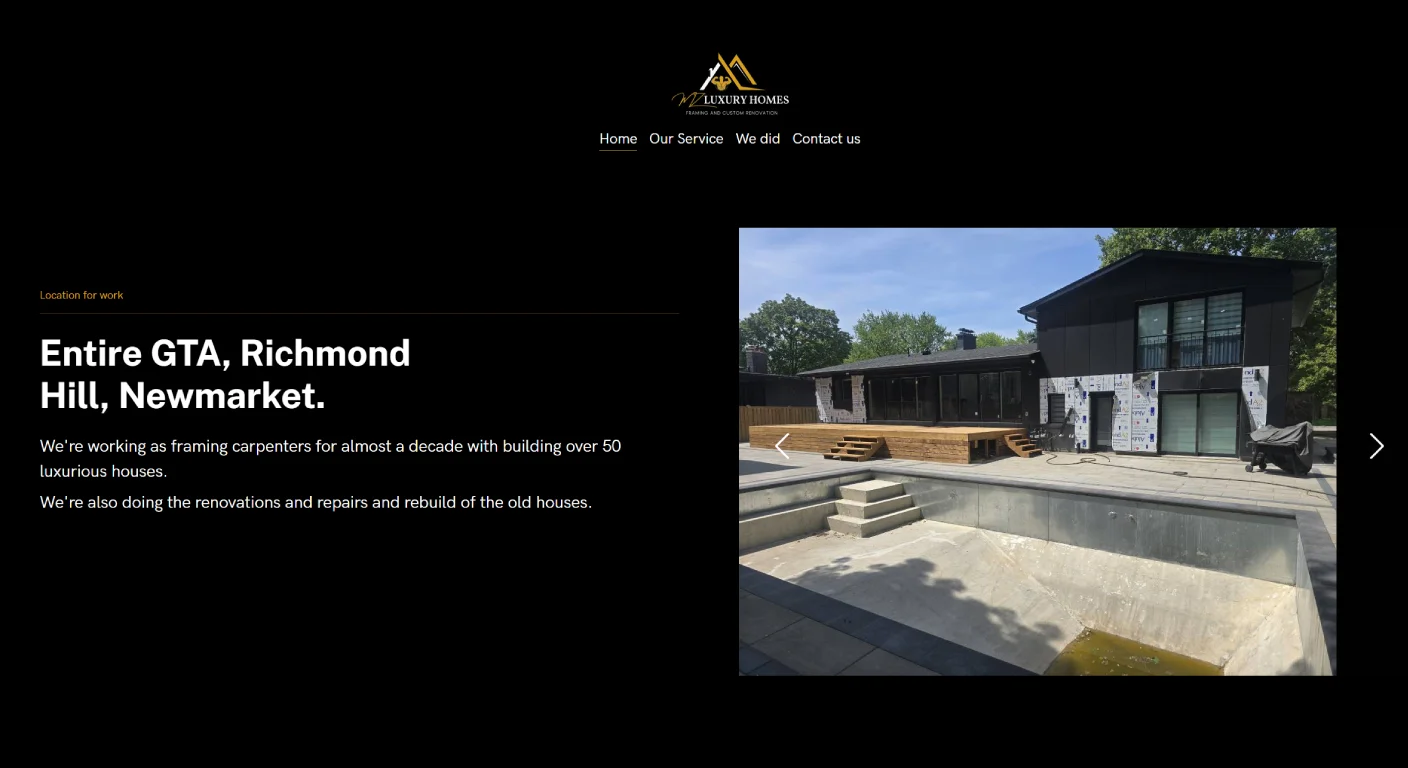
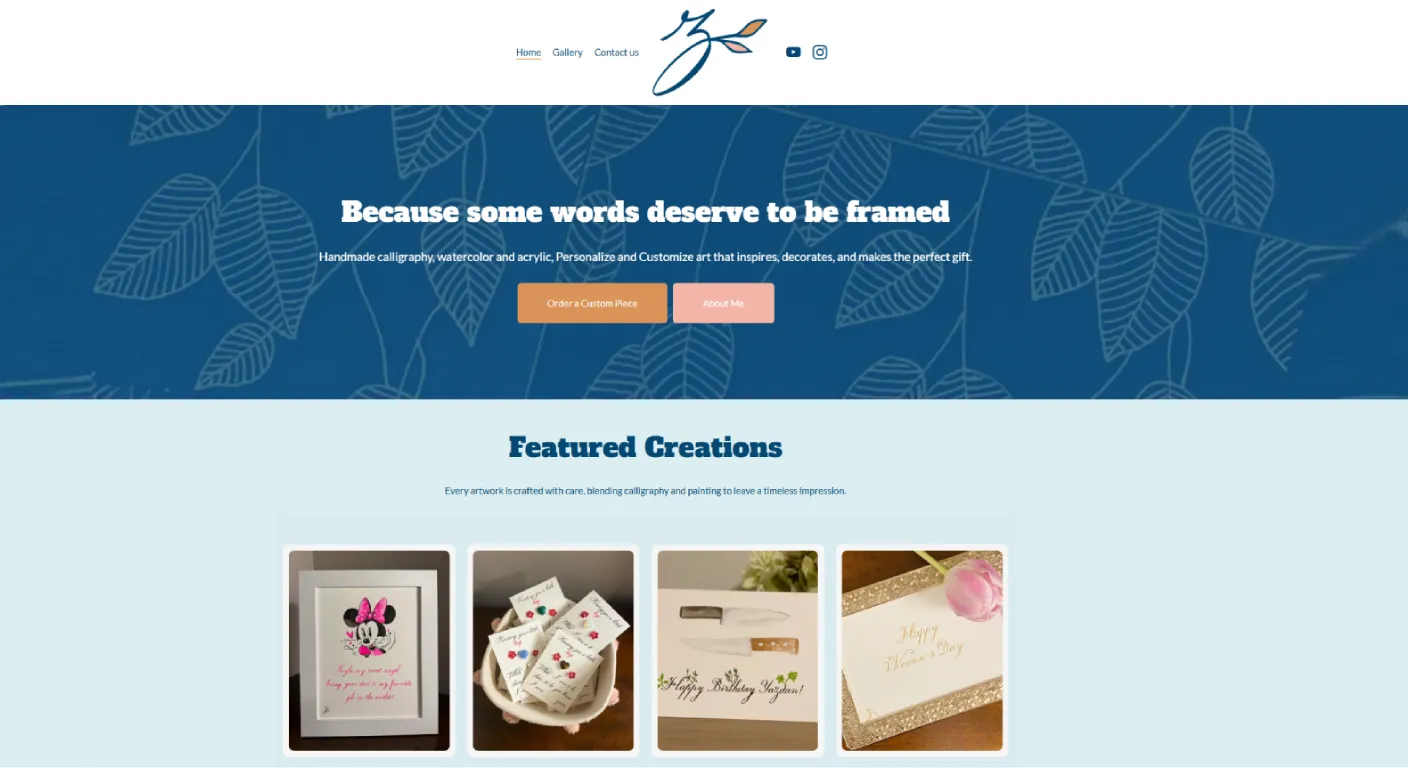
Explore a selection of websites we've designed and developed for businesses across Toronto and the GTA.



















If you enjoy this work, that may be fine.
If every hour spent on the website takes you away from paid client work, the real cost changes.
When Professional Web Design Starts Making More Sense
Professional help becomes more valuable when:
- The website needs to generate leads consistently
- You offer several services
- Search visibility matters
- You need booking or ecommerce
- Brand presentation influences trust
- You need custom functionality
- The business has outgrown a basic template
DIY vs Professional: A Practical Comparison
| Factor | DIY Builder | Professional Web Design |
|---|---|---|
| Initial Cost | Usually lower | Higher |
| Your Time | Higher | Lower |
| Customization | Limited by platform | Usually much greater |
| Strategy | You plan it | Can be planned with provider |
| SEO Structure | You manage it | Can be built into planning |
| Technical Support | Platform support + self-service | Depends on provider agreement |
Do You Need Custom Code?
Not always.
Professional web design does not automatically mean everything must be custom-coded from scratch.
The right solution can combine a stable CMS, proven components and custom development only where the business actually needs it.
Do Not Pay for Custom Development You Do Not Need
If your website only needs five straightforward pages and a contact form, a heavily custom system may be unnecessary.
The solution should match the problem.
But Do Not Force a Complex Business Into a Simple Template
A template becomes a problem when the website needs to support:
- Advanced booking
- Complex service logic
- Custom quote forms
- Unique product flows
- Multilingual structure
- Large project libraries
- Special integrations
What About SEO?
DIY platforms can support SEO basics, but the platform does not decide the strategy for you.
You still need to decide:
- Which pages should exist
- How services are separated
- What customers search for
- How pages link together
- What content should be created
If organic search matters, you can also review our SEO Newmarket service.
What About Website Speed?
Speed depends on more than the platform name.
Large images, unnecessary apps, scripts, animations and poor hosting decisions can slow many types of websites.
The goal should be a site that is appropriately optimized for what it needs to do.
Who Should Maintain the Website?
Before choosing either approach, decide:
- Who updates content?
- Who handles software updates?
- Who fixes errors?
- Who manages backups?
- Who handles new features?
When DIY Often Works Well
- New solo business
- One clear service
- Low-risk informational site
- Owner enjoys managing technology
- Website is not yet a major lead source
When Professional Design Often Works Better
- Established business
- Several important services
- Website is expected to generate leads
- SEO is a growth channel
- Booking or ecommerce matters
- Brand trust is important
- Owner does not want to manage technical issues
What If You Already Built a DIY Website?
You do not automatically need to throw it away.
Review:
- Does it clearly explain your services?
- Does it work well on mobile?
- Can you update it easily?
- Does it generate useful enquiries?
- Can it support the functionality you now need?
If the answer is yes, improving the current site may be enough.
How to Calculate the Real Cost
Compare more than the initial invoice.
Consider:
- Setup cost
- Monthly platform cost
- Apps and licences
- Your own time
- Maintenance
- Future redesign cost
- Lost opportunities if the website underperforms
A Simple Decision Guide
| If This Sounds Like You | Consider |
|---|---|
| I need something simple and inexpensive right now. | DIY can be reasonable |
| I need several service pages and lead generation. | Professional design may save time |
| I need booking, ecommerce or integrations. | Professional help is often useful |
| I already have a DIY site that works. | Improve before rebuilding |
| I spend too much time fighting the website. | Consider professional support or rebuild |
How Manisoft Media Approaches This Decision
Our Web Design Newmarket service is designed for businesses that need more than a basic DIY presence and want a website planned around services, customer journey and future growth.
That does not mean every business needs our service immediately.
If a simple DIY site genuinely meets your needs today, there is no reason to replace it just for the sake of replacing it.
Outgrowing Your DIY Website?
We can review what you already have and tell you whether improving the current site or rebuilding makes more sense.
Request a Website ReviewFrequently Asked Questions
